
1. Check your key
curl https://api.fjnch.ch/v1/me \
-H "Authorization: Bearer YOUR_API_KEY"Read your own Finch data from your own scripts, spreadsheets, and dashboards: accounts, balances, and transactions — read-only, with a personal API key.
PAID_PLAN_REQUIRED).GET; nothing can be modified or written.Authorization header: Authorization: Bearer fnch_sk_live_...X-Finch-Data-Policy: personal-use-onlyAPI keys are generated solely within the Finch app. There is no web sign-in.
accounts:read — accounts and balancestransactions:read — transactions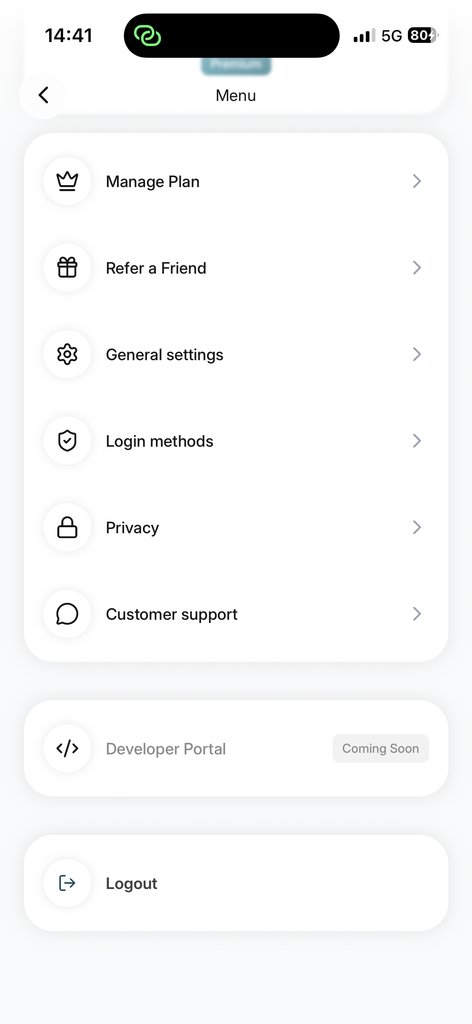
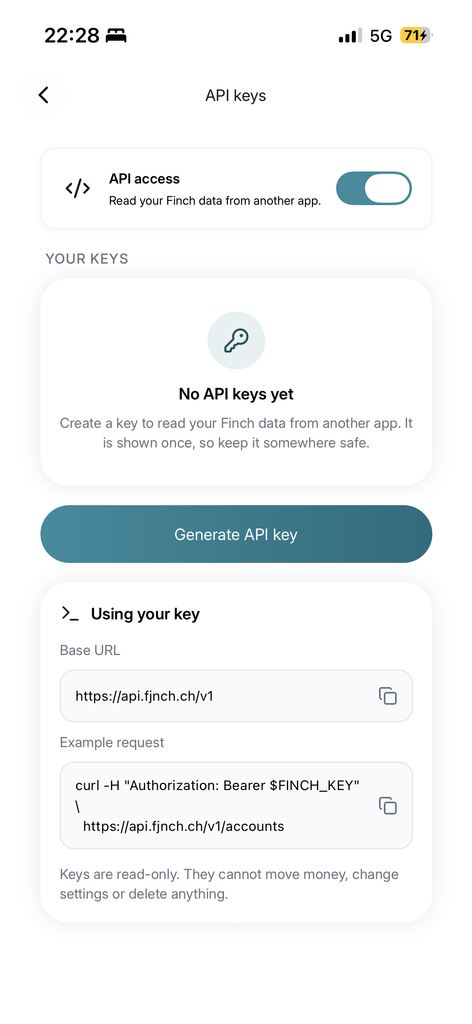
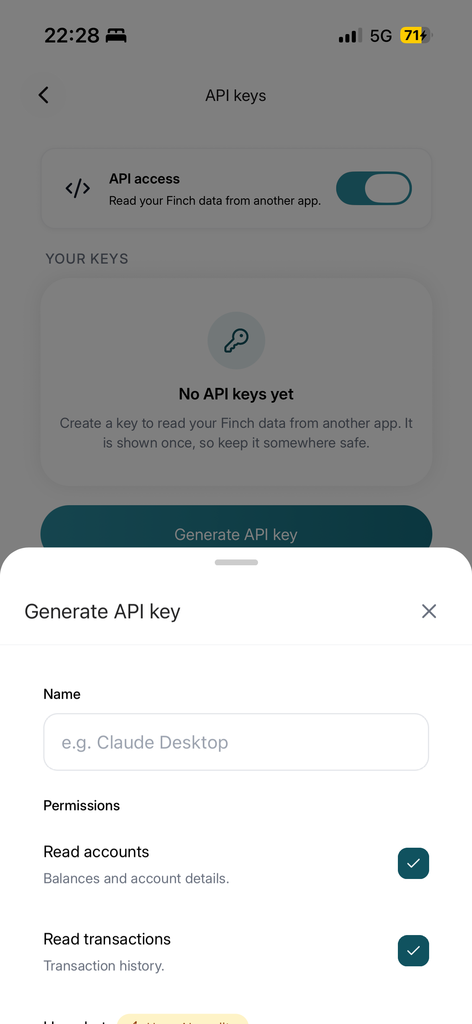
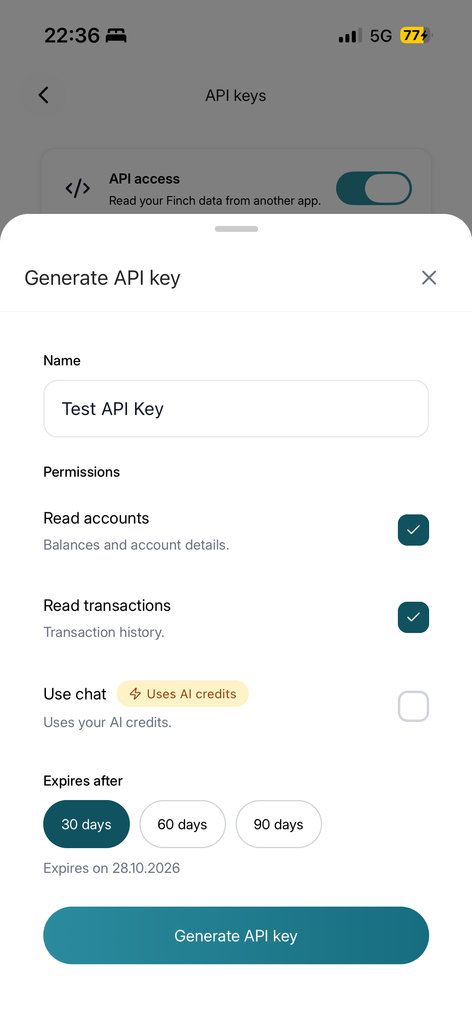
Base URL: https://api.fjnch.ch/v1
Replace YOUR_API_KEY in every sample with your actual API key.
curl https://api.fjnch.ch/v1/me \
-H "Authorization: Bearer YOUR_API_KEY"curl https://api.fjnch.ch/v1/accounts \
-H "Authorization: Bearer YOUR_API_KEY"accountId is required. Returns a plain array, newest first. Replace ACCOUNT_ID with an account ID from step 2. The Python and Node.js examples continue from step 2 and use its accounts variable.
curl "https://api.fjnch.ch/v1/transactions?accountId=ACCOUNT_ID" \
-H "Authorization: Bearer YOUR_API_KEY"/v1/meaccounts:readReturns { uid, currency, tier, scopes }. Fast key verification; never triggers a bank refresh.
/v1/accountsaccounts:readReturns an array of active Account objects (owned or shared). Refreshes stale accounts first.
/v1/accounts/{id}accounts:readReturns a single Account. Refreshes first if stale.
/v1/transactions?accountId={id}transactions:readReturns an array of Transaction objects for the specified account, newest first. Refreshes the account first if stale.
/v1/transactions/{id}transactions:readReturns a single Transaction with resolved category and tag names.
/v1/usageaccounts:readReturns your AI budget allowance status: { aiBudget, rateLimit, guest }.
| Field | Type | Description |
|---|---|---|
| id | string | Unique identifier. Use with /v1/accounts/{id} and /v1/transactions?accountId=. |
| label | string | null | User-defined account name. |
| type, subType | string | null | Account classification (e.g., bank, investment, crypto, asset). |
| institutionName | string | null | Name of the financial institution (e.g., UBS Switzerland AG). |
| ibanLast4 | string | null | Last 4 characters of the IBAN. Full IBAN is never exposed. |
| currency | string | ISO currency code for the account balance. |
| balance | number | Current account balance. |
| balanceInBaseCurrency | number | null | Converted balance, populated only if the account currency differs from your base currency. |
| baseCurrency | string | null | Your base currency setting. |
| connected | boolean | true if linked to a bank connection; false for manual or asset accounts. |
| syncStatus | string | null | SYNCED, SYNCING, FAILED, or NEEDS_REAUTHORIZATION (re-link in the app). |
| lastSyncedAt | number | null | Epoch timestamp in milliseconds of the last successful bank sync. |
| tickers | array | List of holdings (investment accounts only). |
| Field | Type | Description |
|---|---|---|
| id | string | Unique transaction ID. |
| label | string | null | Merchant, counterparty, or transaction title. |
| description | string | Raw bank narrative; returns an empty string if unavailable. |
| date | number | Booking date as an epoch timestamp in milliseconds. |
| amount | number | Unsigned transaction value. Cash direction is defined by direction or type. |
| direction | "in" | "out" | null | Cash flow relative to the filtered account: in = credit, out = debit. |
| type | string | debit or credit. Matches direction. |
| senderAccountId | string | null | Source account ID if within your connected accounts; null for external sources. |
| receiverAccountId | string | null | Destination account ID if within your connected accounts; null for external payees. |
| currency | string | null | Transaction ISO currency code. |
| category | string | null | Category ID (e.g., preset_food_drinks, preset_transfer). |
| categoryName | string | null | Human-readable category title. |
| tags, tagNames | string[] | Tag IDs and their human-readable labels. |
| accounts | string[] | Associated internal account IDs. |
Calling /accounts, /accounts/{id}, or /transactions automatically checks the age of the account data. If it is older than the bank’s refresh window, Finch fetches fresh data before responding.
24 hours
1 refresh per window. Charge per sync, e.g., UBS and ZKB.
15 minutes
1 refresh per window. Swiss open banking network.
6 hours
1 refresh per window. All other banks, e.g., Revolut and N26.
Requests within the window serve cached data without changing lastSyncedAt. Polling faster will not update your data.
Swiss banks, including UBS, ZKB, and PostFinance, enforce strict personal-access restrictions.
/accounts, return 404 on /accounts/{id} and /transactions?accountId=, and their transactions are excluded. The rest of the response remains unaffected.429 with retryAfterSeconds.All API errors return a standardized JSON structure:
{
  "statusCode": 403,
  "code": "INSUFFICIENT_SCOPE",
  "message": "This API key does not have the 'transactions:read' scope.",
  "correlationId": "1792...",
  "timestamp": "2026-10-16T12:00:00.000Z",
  "path": "/v1/transactions"
}| Status | Code | Reason |
|---|---|---|
| 400 | — | Missing a required parameter, e.g., accountId on /v1/transactions. |
| 401 | — | Missing, invalid, expired, or revoked API key, or blocked IP address. |
| 403 | INSUFFICIENT_SCOPE | Key lacks the necessary permissions for this endpoint. |
| 403 | PAID_PLAN_REQUIRED | Active account plan does not include API access. |
| 403 | — | Account is temporarily suspended or locked. |
| 404 | — | Unknown account or transaction ID, or an account withheld by Swiss bank IP filters. |
| 429 | RATE_LIMITED | More than 120 requests per minute. Check retryAfterSeconds. |
fnch_sk_live_ prefix. Never commit them to source control, paste them into URLs, or share screenshots containing keys.When using the Finch API, the Terms & Conditions and the Privacy Policy apply.
Need help generating or using your personal API key? Contact Finch support for help with access, permissions, or unexpected responses.
Get Support