
How to Get Support in the Finch App?
If you need help while using Finch, you can easily contact our support team directly from the mobile app by following the steps below.
Submit a Support Ticket in the Finch App
- 1Open the Finch mobile app.
- 2From the Home screen, tap the Menu icon in the top-right corner.
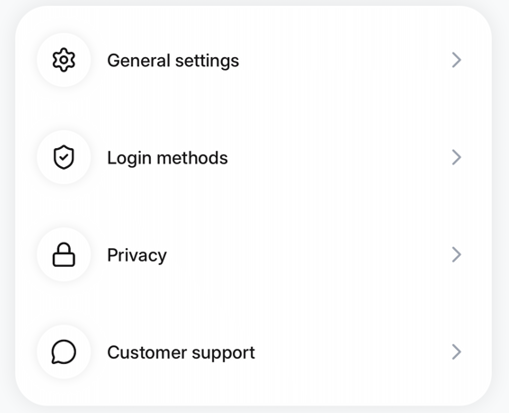
- 3Select Customer Support.
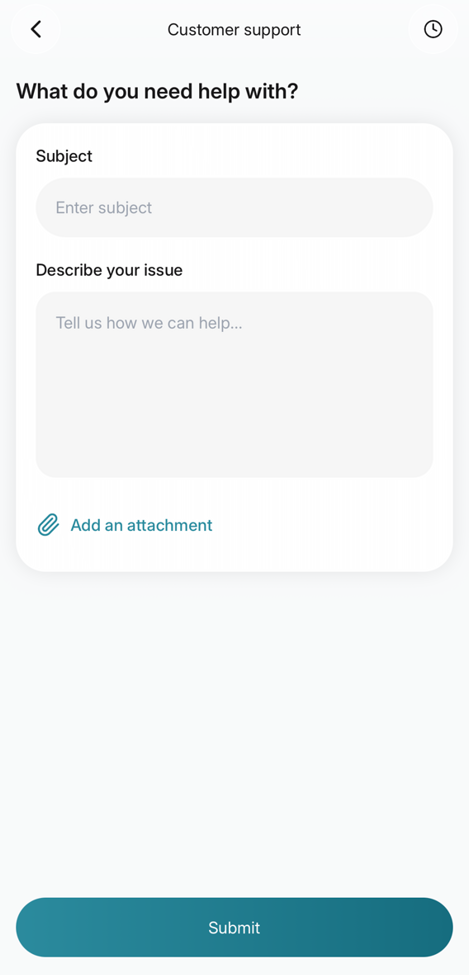
- 4Fill out the support form:
- Fill in the topic you need help with
- Add a clear description of the issue
- (Optional) Attach screenshots to help us better understand the problem
- 5Tap Submit.
Once submitted, your request will be created as a support ticket, and the Finch Tech Team will get back to you as soon as possible. Your challenges are our priority!
Contact Us by Email
For any other questions or outstanding queries related to Finch, you can also email us directly at support@finch-agent.com. One of our team members will personally get back to you as soon as possible. We're here to help and appreciate your patience while we assist you 💛